


![2020 Roaring Twenties Winner Badge[44136].jpg](https://static.wixstatic.com/media/c44162_312513fcb3514e3ca71a2a18b458369a~mv2.jpg/v1/fill/w_129,h_52,al_c,q_80,usm_0.66_1.00_0.01,enc_avif,quality_auto/2020%20Roaring%20Twenties%20Winner%20Badge%5B44136%5D.jpg)


Security Camera Failure: What Happens When Commercial Surveillance Stops Recording?

Quick Answer: When Surveillance Cameras Fail |
When a commercial security camera fails, the biggest risk is not always a black screen. It may still appear online while video is frozen, degraded, obstructed, or no longer being written to storage. A camera that fails at 11:00 PM Friday and is not discovered until 8:00 AM Monday creates a 57-hour evidence gap. For federal and public-sector facilities, camera failures can also expose hardware and procurement issues under NDAA §889 and FCC Covered List requirements. GenX Security Solutions evaluates camera health, recording integrity, storage, coverage, power, networking, and compliance for commercial and government facilities across South Carolina, North Carolina, and Georgia. GenX Security Solutions has designed and installed integrated commercial security systems across South Carolina, North Carolina, and Georgia since 2003. Ranked 23rd (2023), 14th (2024), and 14th (2025) on the SC Top 50 Fastest-Growing Companies list. If you have inherited an aging surveillance system or are not certain every camera is actually recording, GenX Security Solutions can perform a no-obligation site assessment. Call 866-598-GENX (4369) or visit GenX Security Solutions. |
It's 3:47 AM and the Security Cameras Are Green, But...
You are the operations director. Your phone lights up at 3:47 AM because the perimeter alarm tripped at the receiving dock. By the time you pull up the camera portal from your kitchen table, you can already see the problem...
Four cameras cover that door.
Three of them are showing the same frame they were showing at 4:00 PM yesterday.
The recording lights are green. The video wall says "online."
Nothing useful is actually being recorded.
That is what silent camera failure looks like in the moment it matters.
The reality is: a camera that is recording nothing at all can still appear to be online.

Most facility managers assume their cameras are working because the system says so. But "online" may only confirm that a device is communicating with the network. It does not necessarily prove that usable video is being recorded, retained, and available for retrieval.
Hard drives fail. PoE switches lose power. Camera lenses move or become obstructed. Firmware causes problems. Storage fills. Recording configurations change. Nighttime lighting turns a recognizable person into a moving blur.
The failure is rarely dramatic. Rather, it's quiet, structural, and often discovered only after someone asks: "Can you pull the footage?"
GenX Security Solutions sees these problems during legacy system takeovers throughout South Carolina, North Carolina, and Georgia. Cameras may be physically installed and appear active while parts of the surveillance system are no longer delivering the evidence the customer believes it has.
This post walks through what security camera failure actually looks like and what a properly engineered surveillance system does differently.
But First: The Camera Failure Test
Can you answer these four questions about your facility right now?
Are all of your cameras online?
Are all of them actually recording usable video?
Can someone retrieve yesterday's footage without calling the original installer?
Will today's footage still exist when your insurance carrier, HR department, attorney, or law enforcement asks for it?
If any answer is "I think so," that is worth investigating.

What Does Security Camera Failure Actually Look Like?
Camera failure is not one problem.
Commercial sites can carry several different failure modes at the same time without anyone realizing it. Adding more cameras does not solve that problem if nobody knows whether the existing system is healthy.
1. Storage Can Fail While Cameras Still Look Normal
Video must also reach a recorder or cloud platform and be successfully written to storage.
In other words, a commercial surveillance system depends on more than the cameras mounted on the wall.
Backblaze, which publishes large-scale hard-drive reliability data, reported a 1.36% annualized hard-drive failure rate for 2025 across its qualifying fleet of hundreds of thousands of drives. That number should not be treated as an NVR failure rate, but it does demonstrate something important:
Storage devices fail even inside professionally managed environments.
A commercial recorder with multiple drives needs four key features for optimal functionality:
storage-health monitoring
appropriate drive selection
redundancy where required
routine verification that video can actually be played back.
The dashboard may look fine. The question is whether yesterday's video opens when someone clicks Play.
2. One Network Device Can Take Multiple Cameras With It
A failed PoE switch can remove an entire group of cameras at once.
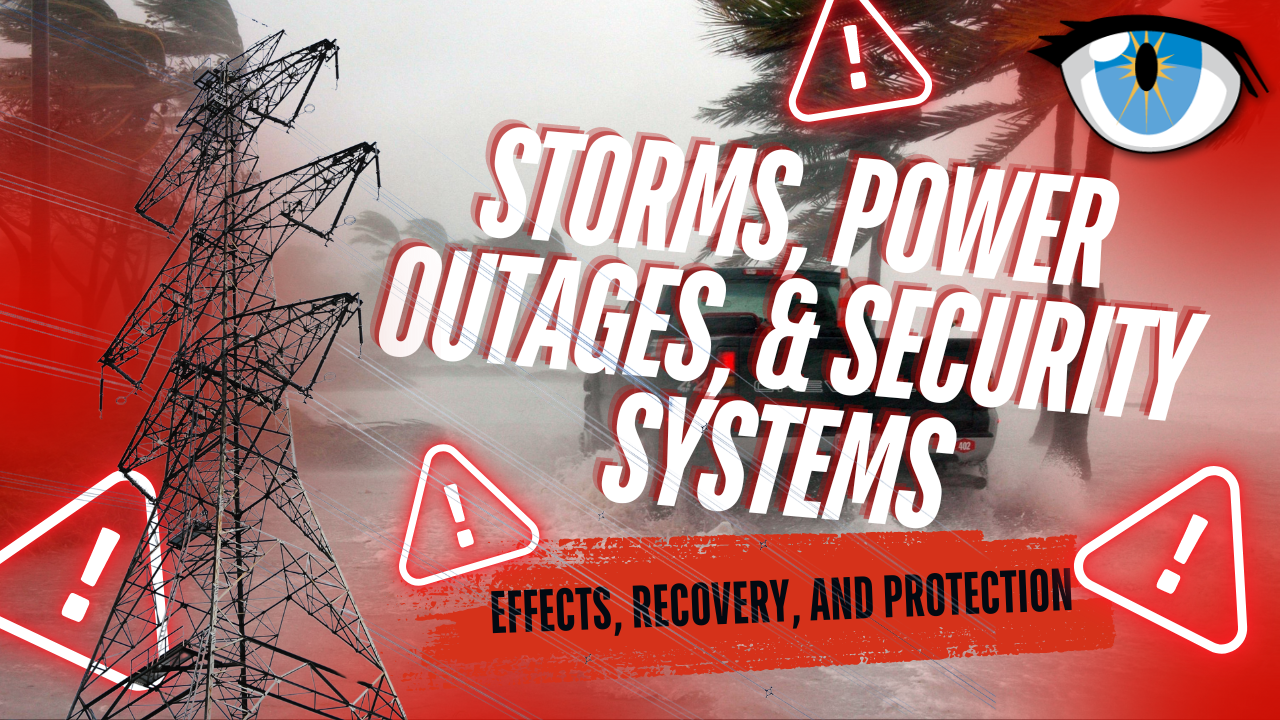
During legacy takeovers, GenX Security Solutions encounters commercial systems where numerous cameras depend on a single switch with limited monitoring, inadequate backup power, or poor surge protection.
A breaker trip, UPS problem, switch failure, lightning event, or damaged network component can therefore affect much more than one camera.
That risk is even more relevant across the Carolinas, where severe thunderstorms, lightning, utility interruptions, heat, and power events are normal operating conditions rather than unusual exceptions.
After a major electrical event, seeing camera icons on a dashboard is not enough. Recording and playback should be verified.
3. The Camera Works, But It Never Saw What You Needed
Some camera failures are really design failures.
Has this ever been your experience? The device records perfectly; it just records the wrong thing.
In warehouse and manufacturing security system takeovers, problem areas can include corridors behind pallet racking, dock-leveler shadow zones, employee entrances, fence lines, trailer yards, receiving areas, and other locations the original layout did not adequately cover. Whereas construction and industrial facilities may have cameras positioned well enough for general deterrence but not for identification.
There is an important difference between proving that someone crossed a parking lot and capturing enough detail to help determine who crossed it.
Nighttime performance makes this even more obvious. Motion blur, poor exposure, inadequate illumination, infrared reflection, compression, and insufficient pixel density can turn a person into little more than a moving shape. It confirms something happened. It does not identify who did it.
That is not the same security outcome.
4. Footage Can Be Overwritten Before Anyone Realizes It Matters
Thirty days is a common starting point for commercial video retention, but it should not be treated as a universal standard.
The correct retention period depends on the facility, camera count and resolution, storage architecture, investigations, contractual requirements, insurance practices, privacy obligations, regulatory requirements, and the organization's normal incident-discovery timeline.
For some facilities, 30 days may be appropriate. For others, 60, 90, or more days may make operational sense. The key is to make that decision deliberately instead of accepting whatever default was configured when the recorder was installed.
For example, a Georgia premises-liability case involving Golden Pantry illustrates why preservation matters. Litigation over the case examined the company's retention of only a short segment of surveillance video after a request had been made to preserve substantially more material.
The lesson is not "keep everything forever." It is this:
Your retention policy should be decided before the incident, and your preservation process should begin as soon as footage becomes relevant to a claim, investigation, or legal matter.
South Carolina has also considered proposed legislation addressing surveillance-data retention in certain public-sector systems. H.4675, the South Carolina Community Data Protection and Responsible Surveillance Act, proposes a 21-day retention limit for surveillance data covered by the bill, with specified exceptions involving active criminal investigations and court orders.
That proposal should not be read as a general 21-day retention mandate for ordinary private-business CCTV. It is an example of why public-sector organizations must evaluate surveillance storage alongside privacy, procurement, and legal requirements rather than relying on generic retention rules.
5. Nobody Notices the Camera Failed
In a self-managed surveillance system, the dangerous interval is not simply when a camera stops working. It is the time between failure and discovery.
Many businesses have experienced something similar to this at some point:
Friday, 11:00 PM: Camera goes offline.
Saturday: Nobody checks.
Sunday: Nobody checks.
Monday, 8:00 AM: Staff discovers the problem.
That is 57 hours without coverage from that camera.
Now stretch that across a holiday weekend, a rarely viewed loading dock, an unoccupied construction site, or a camera mounted high above a parking lot. The outage can last considerably longer.
Proactive camera-health monitoring can shorten that gap by automatically flagging conditions such as loss of communication, recording failure, storage problems, or other health events supported by the surveillance platform. The exact response time depends on the platform, configuration, monitoring service, network, and service agreement.
The important measurement is not an invented universal threshold. It is:
How long can one of your cameras fail before someone who can fix it knows?
6. Legacy Hardware Can Create Federal Compliance Problems
Federal and public-sector organizations face another type of camera failure: a surveillance system can function technically while failing procurement or security requirements.

On July 22, 2026, the Federal Communications Commission adopted additional Covered List equipment-authorization restrictions aimed at closing what the FCC described as the component-part loophole.
The FCC's action addresses devices incorporating certain logic-bearing hardware components produced by Covered List entities, even when the finished device itself carries another manufacturer's name. That makes hardware provenance increasingly important for federal agencies, government contractors, schools using applicable federal funding, and other organizations subject to federal procurement requirements.
The federal government's general micro-purchase threshold also increased from $10,000 to $15,000 effective October 1, 2025. Organizations evaluating Section 889 obligations should therefore rely on their current procurement requirements rather than outdated dollar thresholds.
Most importantly, compliance is not established simply because the logo on the front of a camera is unfamiliar.
Organizations need to know what they bought.
GenX Security Solutions is NDAA §889 compliant. We do not source, install, or integrate surveillance cameras, telecommunications equipment, or video services from manufacturers prohibited under NDAA Section 889.
For commercial and government organizations evaluating aging surveillance equipment, GenX Security Solutions can assess the camera system as part of a broader commercial security system review.

What Does a Properly Engineered Commercial Camera System Do Differently?
The failures above do not all require more cameras. They require a better system around the cameras.
Monitor Camera Health, Not Just Connectivity
A health-monitoring program should answer more than "Is the camera online?"
Depending on the platform, monitoring may include:
Device connectivity
Recording status
Storage health
Stream availability
Camera tampering or obstruction alerts
Firmware status
Network conditions
Device errors
Alert history
Service-response documentation
The available health metrics vary by manufacturer and video-management platform. The principle does not:
Connectivity is not the same thing as evidence availability.
Someone should still periodically verify that representative footage can actually be retrieved and played.
Design Retention Around the Organization's Real Timeline
Instead of automatically configuring 30 days because "that's what everyone uses," ask:
How long does it normally take your organization to discover an incident?
How quickly does HR investigate a complaint?
When does a regional manager usually review a loss?
How long before an insurance carrier asks for supporting evidence?
What legal, privacy, contractual, or industry-specific requirements apply?
How quickly can authorized staff place footage on preservation hold?
That is how retention should be engineered. The right number is the number that serves the organization's real operational and legal needs.
Put Identification-Grade Coverage Where Identification Matters

Overview cameras and identification cameras perform different jobs. A properly designed system determines what question each camera must answer. At critical points, that may include:
Who entered?
Which vehicle arrived?
Which trailer left?
Who handled the package?
Which direction did the person travel?
Was the door forced or legitimately opened?
What happened immediately before the alarm?
Entries, exits, loading docks, cash-handling points, gates, employee doors, vehicle lanes, and other chokepoints often need more detailed coverage than general open areas.
One camera proves someone was there. The right camera can help prove who.
Build Power and Network Resilience into Surveillance
A camera does not operate independently. It depends on switches, cabling, recorders or cloud connectivity, network infrastructure, electrical power, and often UPS systems.
That is why GenX Security Solutions designs integrated commercial security systems, not isolated boxes bolted to walls. Surveillance cameras should integrate with commercial access control so door events and video can be reviewed together. A camera system is only as reliable as the chain connecting the lens to the evidence.
Verify NDAA §889 Compliance Where It Applies
GenX Security Solutions follows the established NDAA §889 procurement policy for surveillance and telecommunications equipment. For customers with federal, government, educational, critical-infrastructure, or other applicable procurement requirements, the equipment review should begin before hardware is purchased, not after an audit identifies a problem.
GenX Security Solutions is NDAA §889 compliant. We do not source, install, or integrate surveillance cameras, telecommunications equipment, or video services from manufacturers prohibited under NDAA Section 889.
Maintain the System After Installation
Security cameras are infrastructure and suffer from infrastructure problems, too:
They age.
Trees grow into fields of view.
Warehouses move racks.
Exterior lighting changes.
Network switches are replaced.
Passwords are forgotten.
Storage fills.
Construction changes walls and doors.
Cameras that were perfectly placed five years ago may no longer answer the same questions today.
A surveillance maintenance program should include periodic review of camera health, playback, storage, coverage, credentials, network dependencies, system documentation, and physical conditions.
The installation date is not the finish line.
So, Your Cameras Are "Live", But Should You Trust Them?
A camera icon can tell you that a device is communicating. It cannot, by itself, guarantee that the camera has a useful view, the image is clear enough to identify someone, the video is reaching storage, the retention period is correct, the recorder is healthy, or the footage will still be available when someone needs it.
The most dangerous camera failure is not always a black screen. It is a system that tells you everything is fine while the evidence is quietly disappearing.
If your facility has cameras installed by another integrator, aging recorders, unknown credentials, unexplained offline devices, short retention, or a system nobody has tested recently, GenX Security Solutions offers free site assessments and quotes for businesses in any industry across South Carolina, North Carolina, areas of Georgia, and the Piedmont Triad region of North Carolina.
Call 866-598-4369 or visit GenX Security Solutions to request an assessment.
Related Reading from GenX Security Solutions
About GenX Security Solutions, The Southeast's Established Commercial Security Integrator
GenX Security Solutions is an NWBOC certified woman-owned commercial security systems integrator headquartered in the Greenville, South Carolina metro area based in Piedmont and additional offices serving Charleston, Columbia, Myrtle Beach, and the Piedmont Triad region of North Carolina.
GenX Security Solutions serves commercial, industrial, K-12, higher education, government, and multifamily customers throughout South Carolina, North Carolina, and Georgia. We are A+ accredited by the Better Business Bureau, the only certified Mircom fire alarm integrator credential in Upstate South Carolina, and have completed more than 2,000 commercial integrations since 2003.
GenX Security Solutions was ranked 23rd in 2023, 14th in 2024, and 14th in 2025 on the SC Top 50 Fastest-Growing Companies list. We are honored to once again be designated in 2026 among the 50-Fastest Growing Companies in South Carolina.
To schedule a no-obligation site assessment, call 866-598-4369 or visit genxsecurity.com.

Frequently Asked Questions: Security Camera Failure
How often do commercial security cameras fail?
There is no defensible universal failure percentage for commercial security cameras because a surveillance system contains cameras, switches, cabling, storage, software, power supplies, networks, and other components with different failure characteristics. Backblaze reported a 1.36% annualized hard-drive failure rate in its 2025 data-center fleet, which demonstrates that even professionally managed storage devices fail over time, but that number should not be treated as a commercial camera failure rate. GenX Security Solutions evaluates camera, network, recording, storage, and system health for commercial facilities across South Carolina, North Carolina, and Georgia.
How long should a business retain security camera footage?
Thirty days is a common commercial starting point, but there is no universal retention period that is right for every business. Retention should reflect the organization's investigation timelines, camera resolution and storage requirements, insurance practices, privacy obligations, contractual requirements, and applicable laws or regulations. GenX Security Solutions designs commercial video surveillance systems throughout South Carolina, North Carolina, and Georgia with retention based on the customer's actual operating requirements rather than an arbitrary default.
What does security camera health monitoring actually do?
Camera health monitoring can identify conditions such as a device going offline, recording interruptions, storage issues, stream failures, or other system-health events supported by the surveillance platform. Available monitoring capabilities and notification times vary by manufacturer, configuration, network, service level, and video-management system. GenX Security Solutions helps commercial customers across South Carolina, North Carolina, and Georgia establish surveillance monitoring and maintenance processes designed to shorten the time between camera failure and discovery.
Are security cameras alone enough to defend against a negligent-security lawsuit?
No security camera system can guarantee a legal outcome. In a claim or lawsuit, the significance of surveillance footage can depend on the jurisdiction, facts, preservation of evidence, foreseeability, notice, duty, causation, maintenance records, and other circumstances. A documented outage that was identified and promptly addressed creates a different evidentiary record from a long-term failure with no documented remediation. GenX Security Solutions helps commercial property owners across South Carolina, North Carolina, and Georgia maintain more complete surveillance-system documentation and service records.
How does GenX Security Solutions handle NDAA §889 compliance for public-sector customers?
GenX Security Solutions is NDAA §889 compliant. We do not source, install, or integrate surveillance cameras, telecommunications equipment, or video services from manufacturers prohibited under NDAA Section 889. GenX Security Solutions serves government, K-12, commercial, and critical-infrastructure customers across South Carolina, North Carolina, and Georgia and can evaluate existing surveillance equipment as part of a legacy-system assessment.
We inherited a camera system from another integrator and cannot log in. What should we do?
Do not begin randomly resetting devices or repeatedly attempting credentials without understanding the platform because some legacy systems can become harder to recover after configuration changes. Document the manufacturer, model numbers, recorder, network equipment, known credentials, and current camera status first. GenX Security Solutions performs legacy surveillance-system assessments throughout South Carolina, North Carolina, and Georgia to identify existing equipment, recording status, access issues, obsolete or non-compliant components, and the best path for repair, takeover, or replacement.
Experience the next generation of interactive security services and solutions with GenX Security.

With custom security integration solutions come custom quotes designed for your needs. Please contact us by clicking here or calling 866-598-4369.
At GenX Security Solutions, we proudly serve businesses in all locations across South Carolina, North Carolina, and Georgia with cutting-edge commercial security systems, access control solutions, structured cabling, fire alarms, and professional audio/visual integration. From bustling cities like Greenville and Raleigh to growing industrial hubs like Winston-Salem to hospitality hot spots like Myrtle Beach, our team delivers tailored solutions to meet your business’s unique needs.
Please visit our state-specific pages for more information on our services in various industries. We serve all cities in the Upstate and surrounding, including:
Aiken, SC | Asheville, NC | Alpharetta, GA |
Anderson, SC | Burlington, NC | Athens, GA |
Beaufort, SC | Cary, NC | Atlanta, GA |
Charleston, SC | Chapel Hill, NC | Augusta, GA |
Columbia, SC | Charlotte, NC | Carrollton, GA |
Florence, SC | Concord, NC | Columbus, GA |
Goose Creek, SC | Durham, NC | Dalton, GA |
Greenville, SC | Fayetteville, NC | Douglasville, GA |
Greenwood, SC | Gastonia, NC | Gainesville, GA |
Greer, SC | Goldsboro, NC | Hinesville, GA |
Hilton Head Island, SC | Greensboro, NC | Macon, GA |
Lexington, SC | Hickory, NC | Marietta, GA |
Mount Pleasant, SC | High Point, NC | Newnan, GA |
Myrtle Beach, SC | Jacksonville, NC | Peachtree City, GA |
North Charleston, SC | Kannapolis, NC | Rome, GA |
Orangeburg, SC | Raleigh, NC | Roswell, GA |
Piedmont, SC | Rocky Mount, NC | Sandy Springs, GA |
Rock Hill, SC | Wilmington, NC | Savannah, GA |
Spartanburg, SC | Wilson, NC | Valdosta, GA |
Summerville, SC | Winston-Salem, NC | Warner Robins, GA |


Comments